AUTOMOTIVE SERVICE CRM

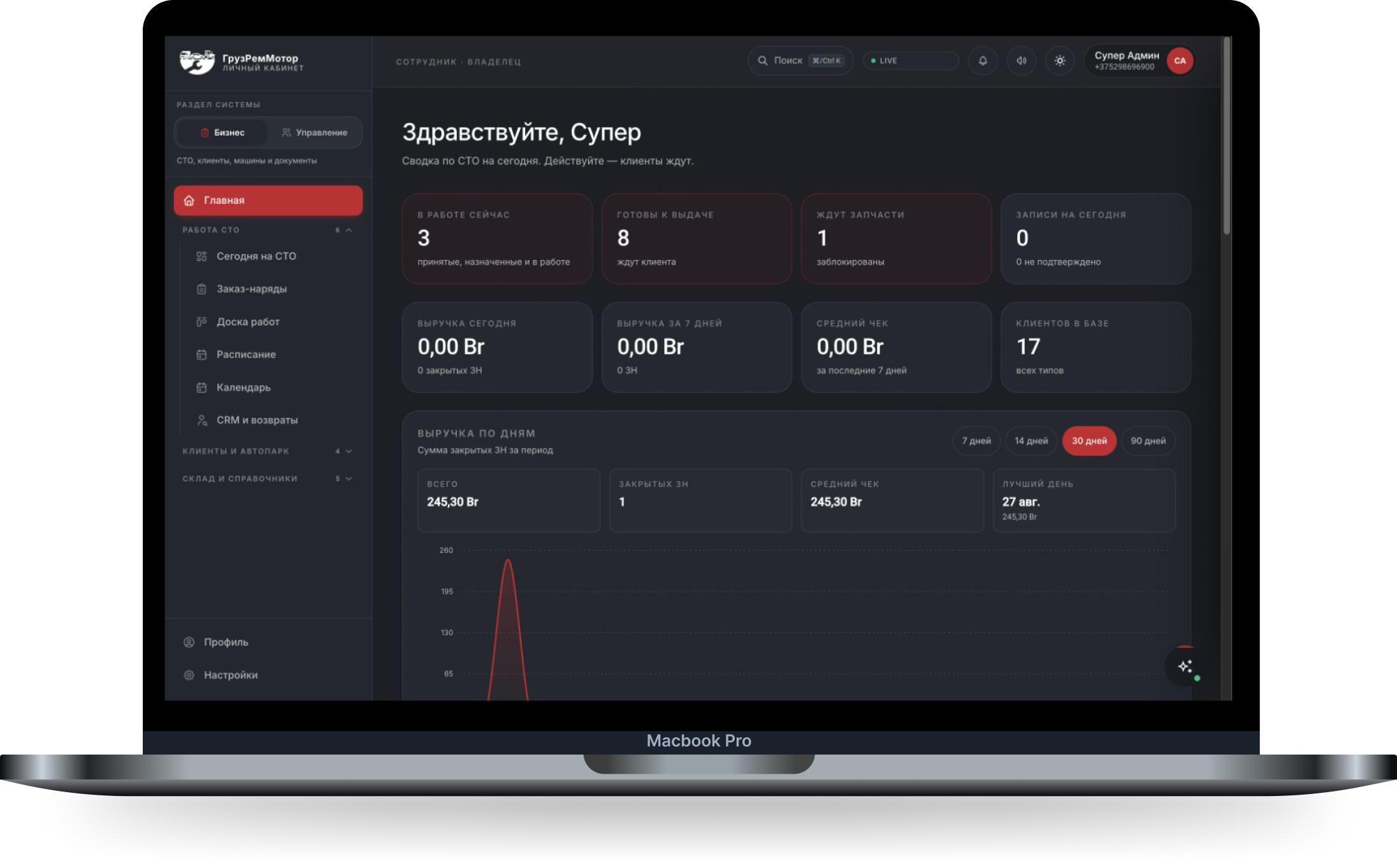
AUTOMOTIVE SERVICE CRM
One workspace for repair shop work orders, a repair board, scheduling, customers and inventory. Staff and customers access the tasks and information relevant to them.
What the business needed?
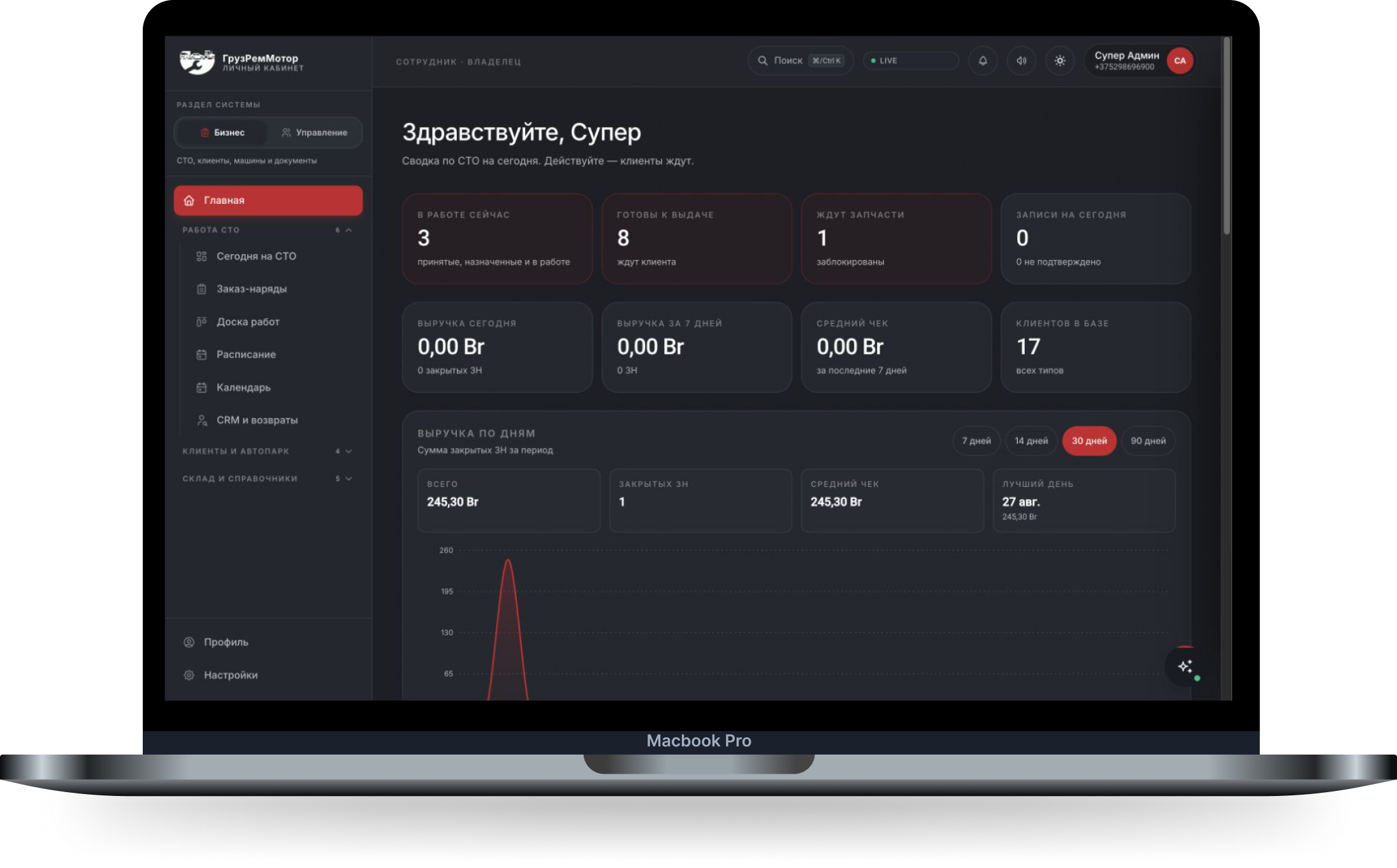
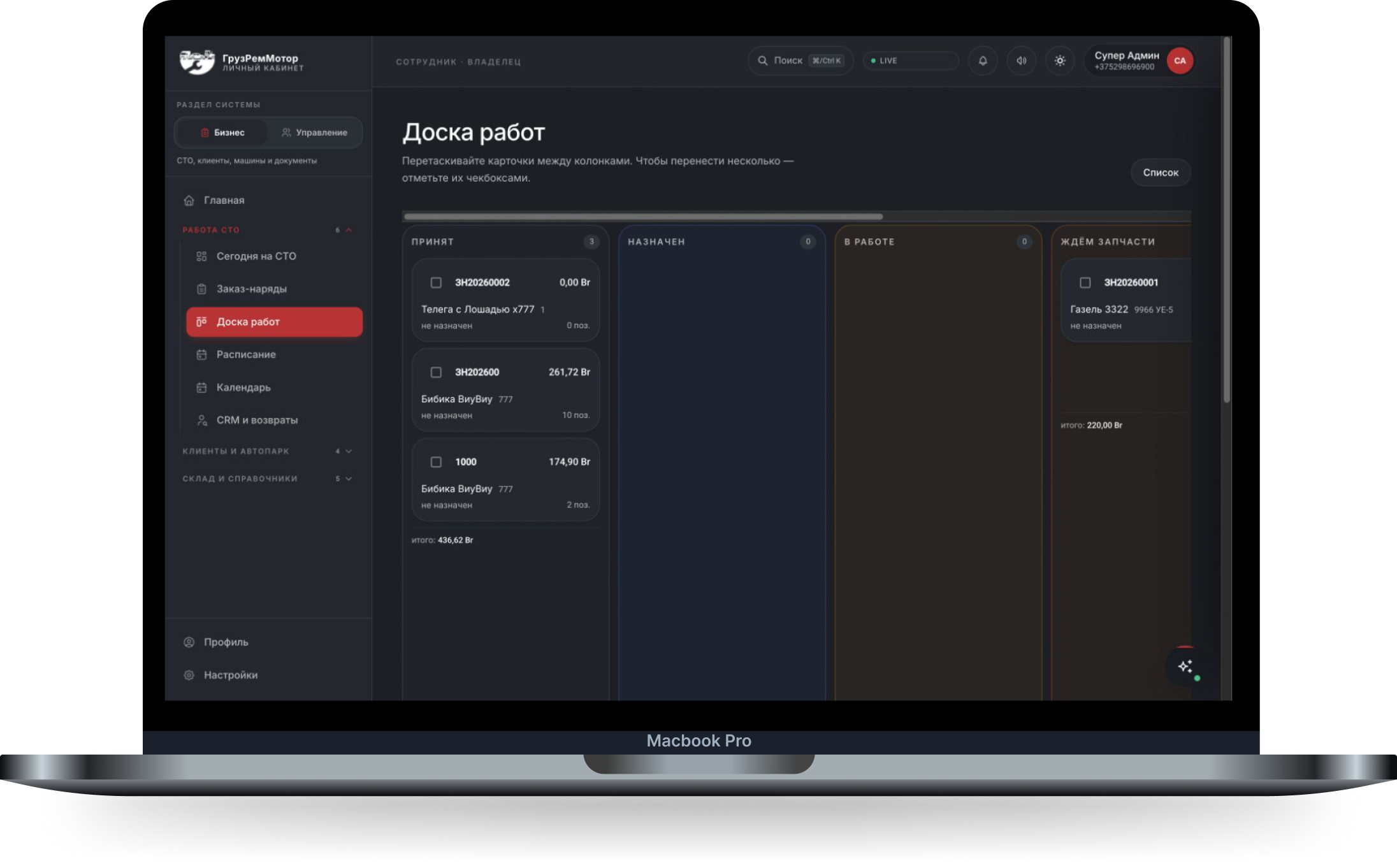
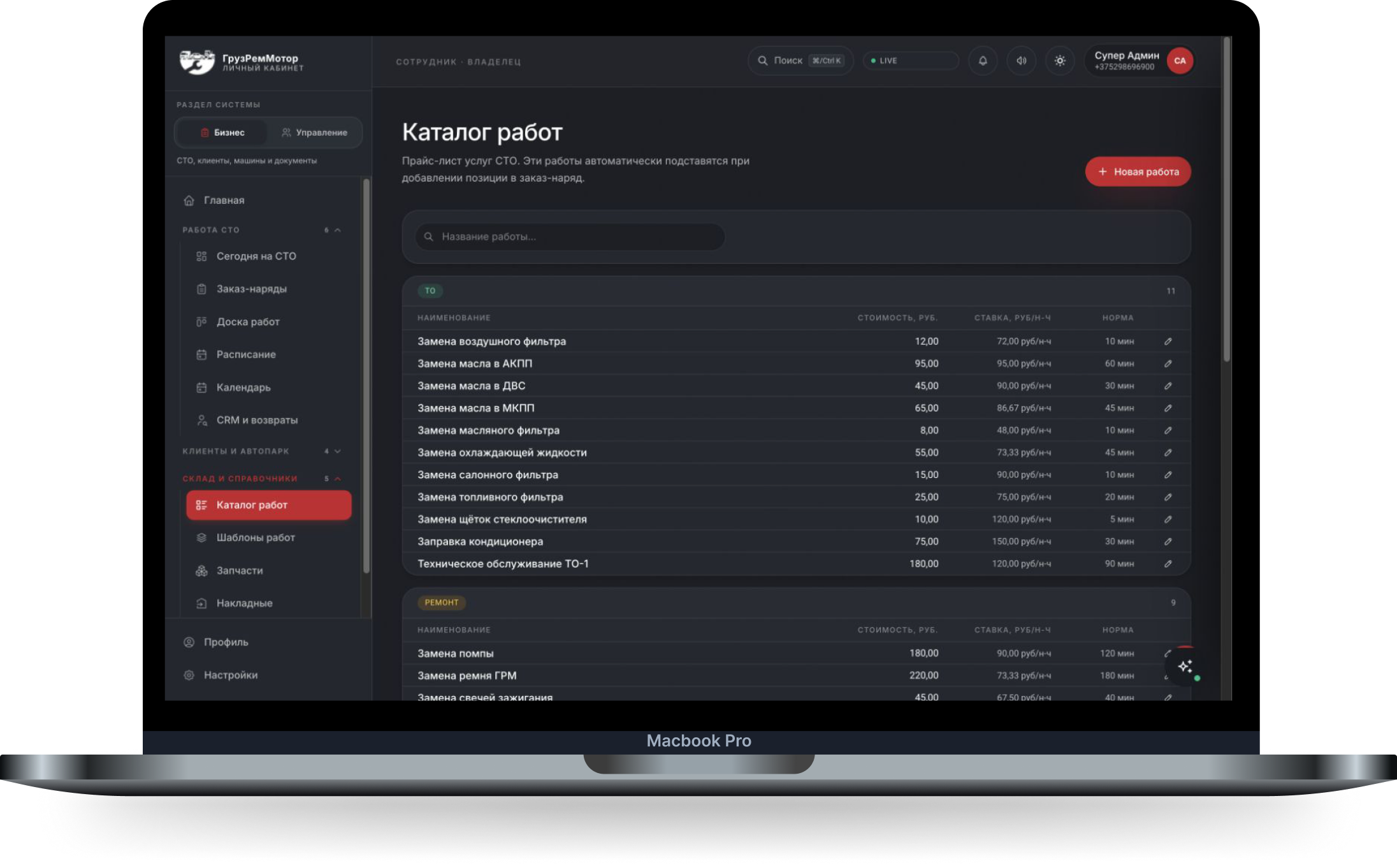
GruzRemMotor CRM brings daily repair shop operations into one web application. The dashboard shows vehicles in progress, parts delays, vehicles ready for pickup and financial indicators. A Kanban board tracks repair stages, while scheduling supports service appointments. The service catalog stores prices and time allowances. Parts inventory separates physical stock, work order reservations and available quantities. Customers, vehicles and documents are connected to the service workflow. Owners, managers, intake staff, mechanics and customers have distinct roles, with access managed in a dedicated administration section. A dark interface with red accents reflects the GruzRemMotor brand and adapts to mobile screens, keeping key information available away from the desk.
What we built
No shared view of workshop operations
Owners need a quick overview of ongoing repairs, parts delays, vehicles ready for pickup and key financial indicators.
Each work order moves through several stages
Intake, assignment, repair and parts delays require a clear status and responsibility for the next step.
Service estimates lack a common reference
Without a shared catalog, staff have to look up prices and time allowances again when preparing each work order.
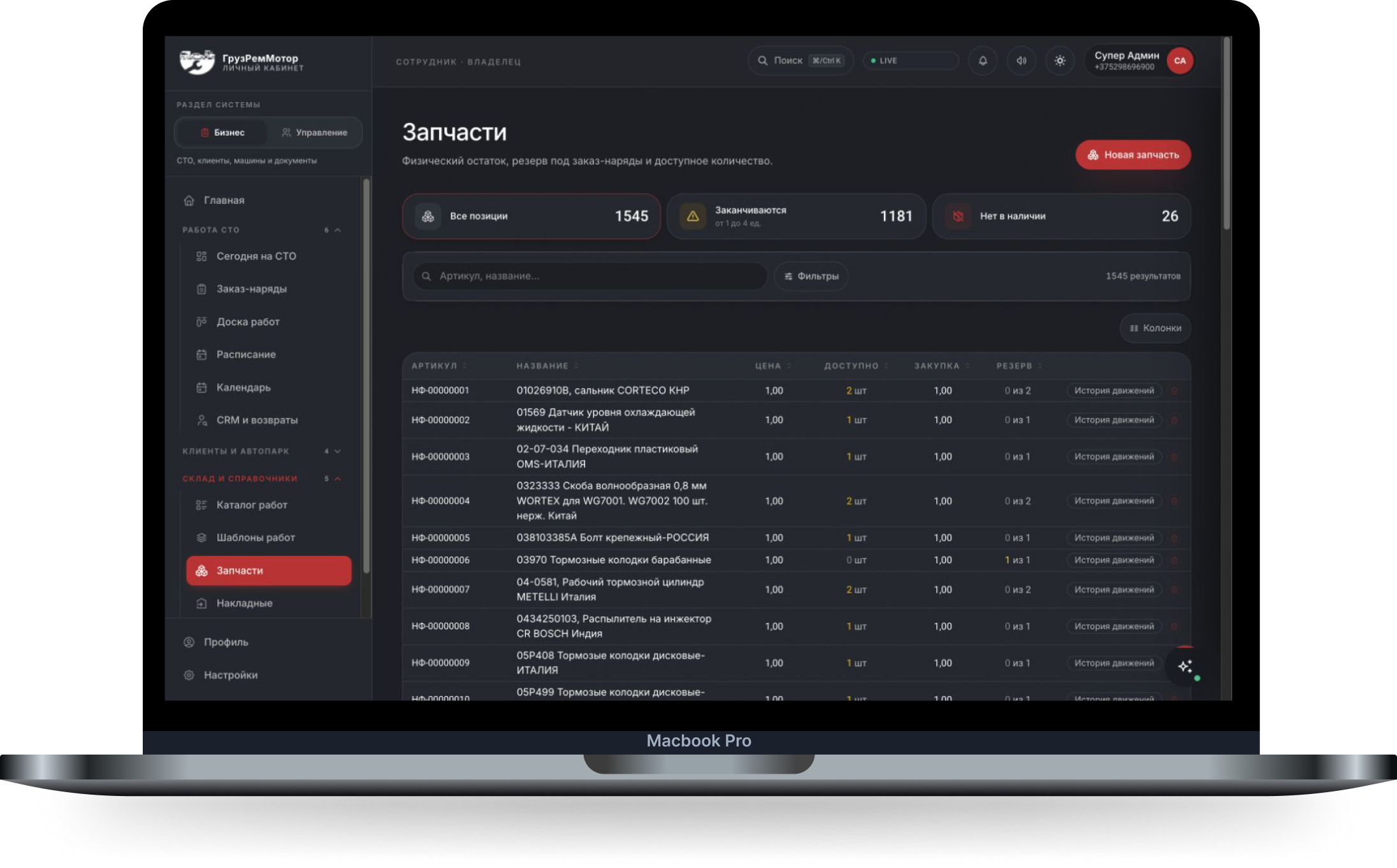
Physical stock is not the same as available stock
Some parts are already reserved for repairs. Intake and purchasing teams need to distinguish stock on hand from available quantities.
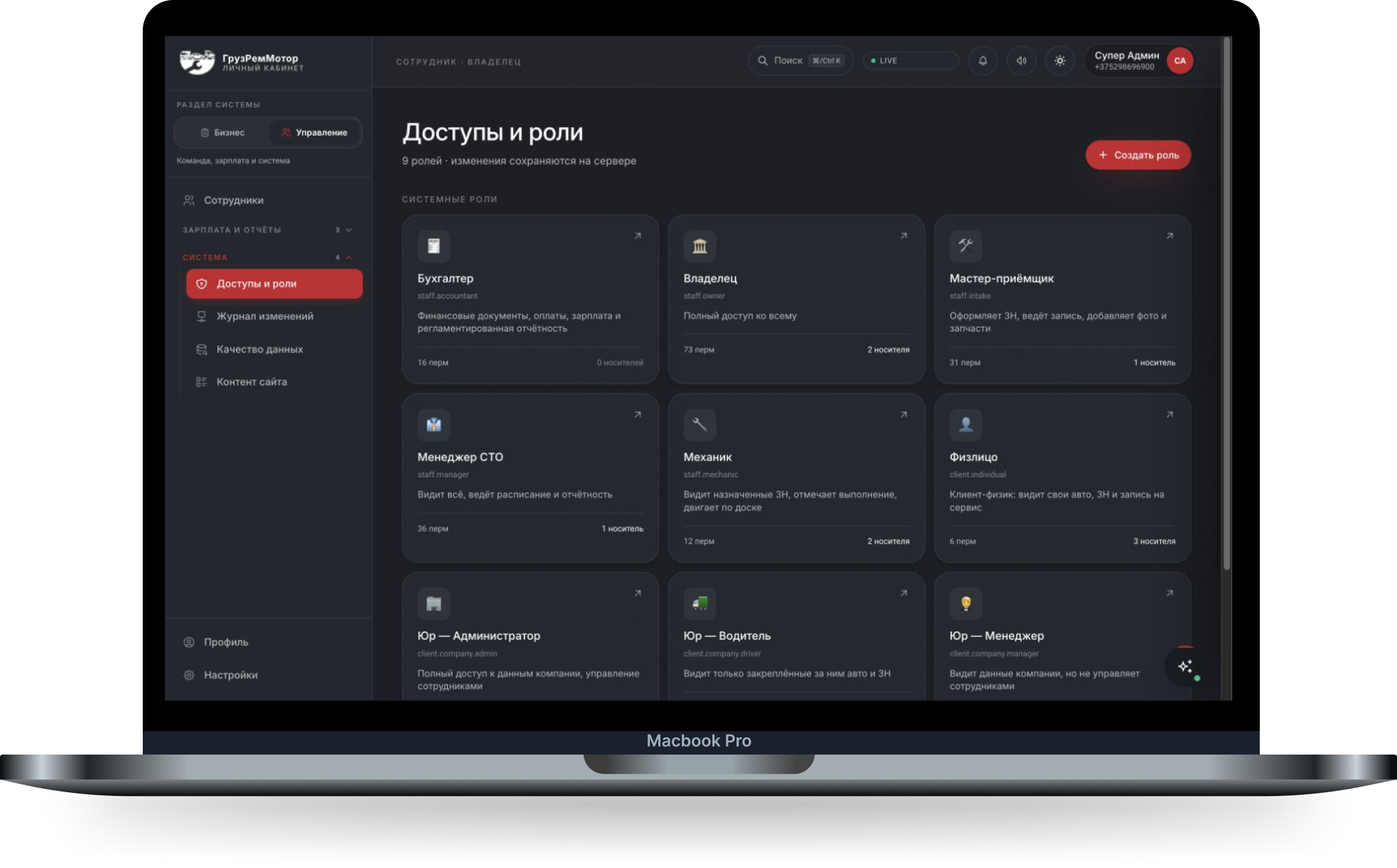
Staff and customers require different access
Mechanics work on assigned jobs, managers coordinate the workshop, and customers need access to their own vehicles and service requests.
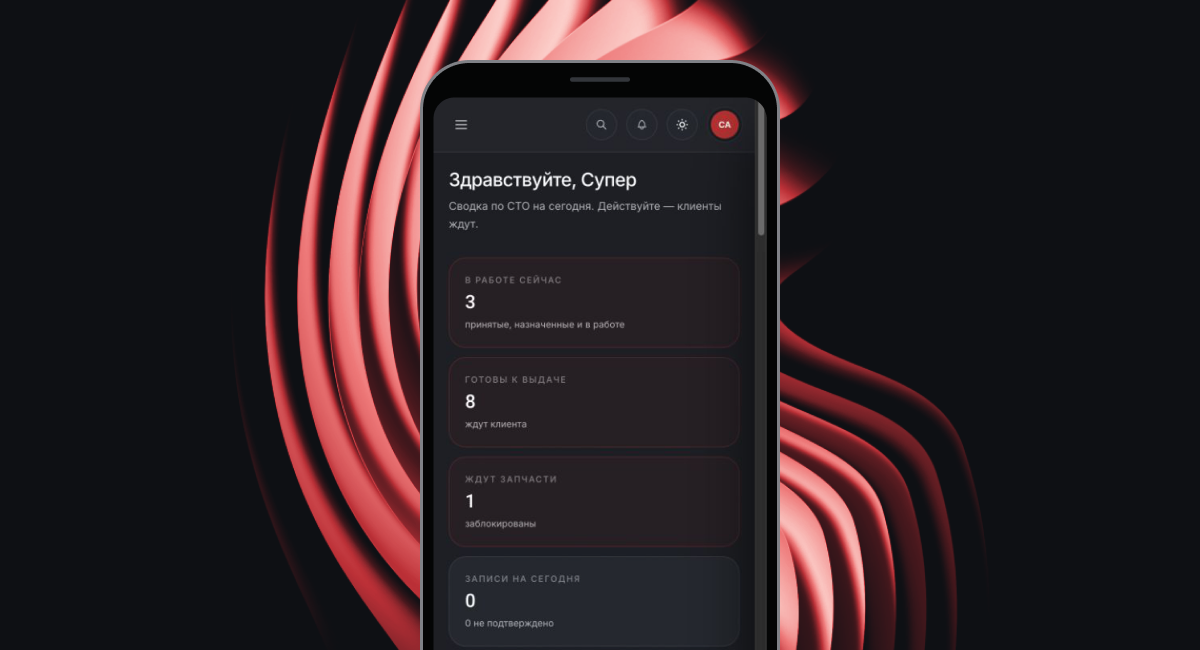
Information is needed away from the desk
Staff at intake or in the workshop should not have to return to a desktop just to check the overview and current statuses.


How the project was built
01
Built an operational dashboard
The home screen brings together vehicle statuses, appointments, revenue and a chart for the selected period.
02
Visualized repair stages on a Kanban board
Work orders are organized into columns. Cards display the vehicle, amount and assignment, with stage changes handled on the board.
03
Created a shared service catalog
Services are grouped by category, with prices, rates and time allowances available as a common reference for work orders.
04
Separated stock and reservations
The parts catalog shows physical stock, reservations and available quantities. Search, filters and movement history support inventory work.
05
Implemented a role-based model
Distinct roles cover staff, individual customers and corporate customers. Permissions and access are managed in a dedicated administration section.
06
Adapted the workspace for mobile
The dashboard and navigation reflow for narrow screens. Workshop operations and customer service workflows are available within the same product.
Tools
- Next.js
- React
- TypeScript
- Tailwind CSS
- TanStack Query
- PostgreSQL