ANSLY

ANSLY
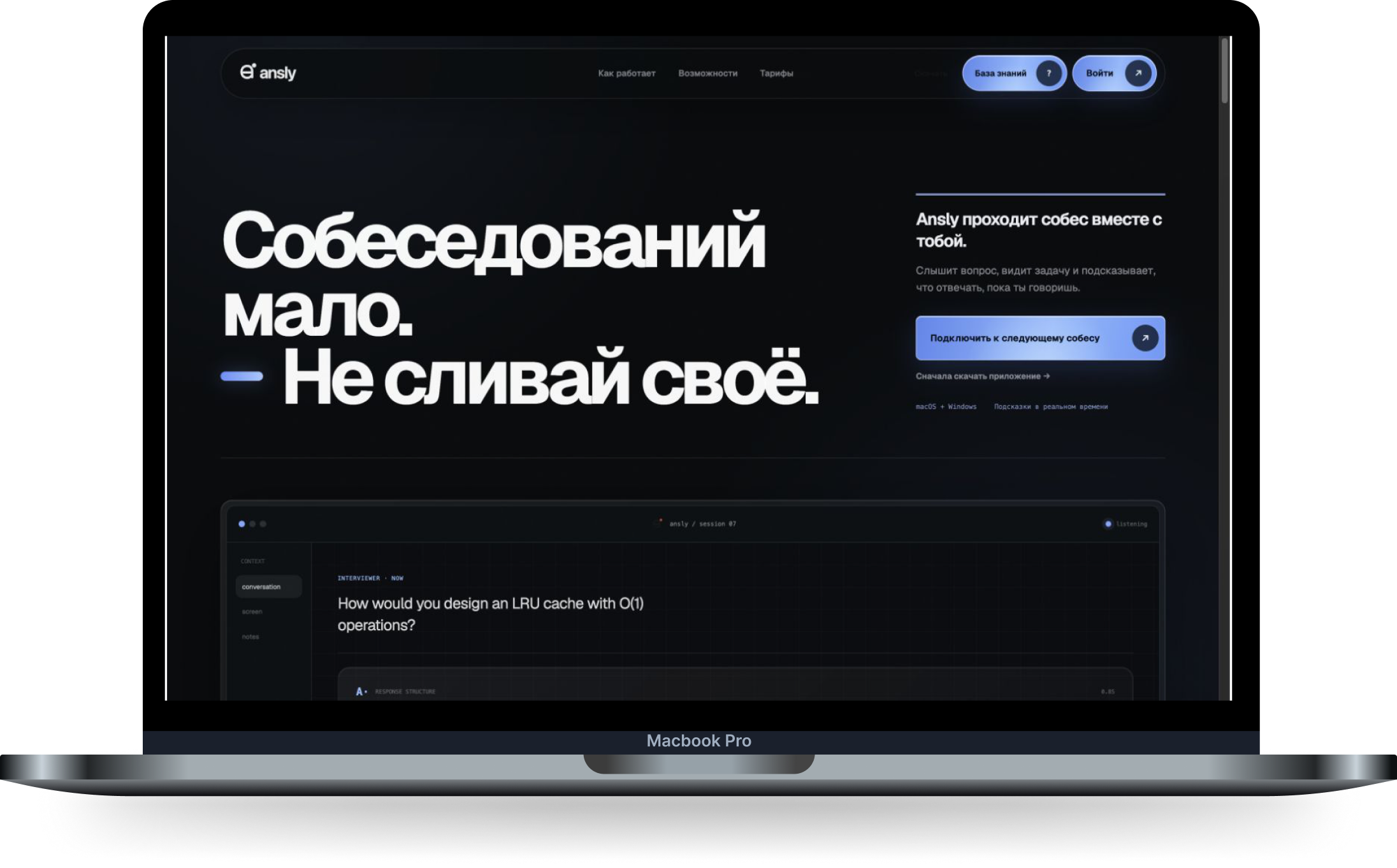
An AI assistant for technical interviews that works with voice, screen content and code, keeps context, and helps structure an answer.
What the business needed?
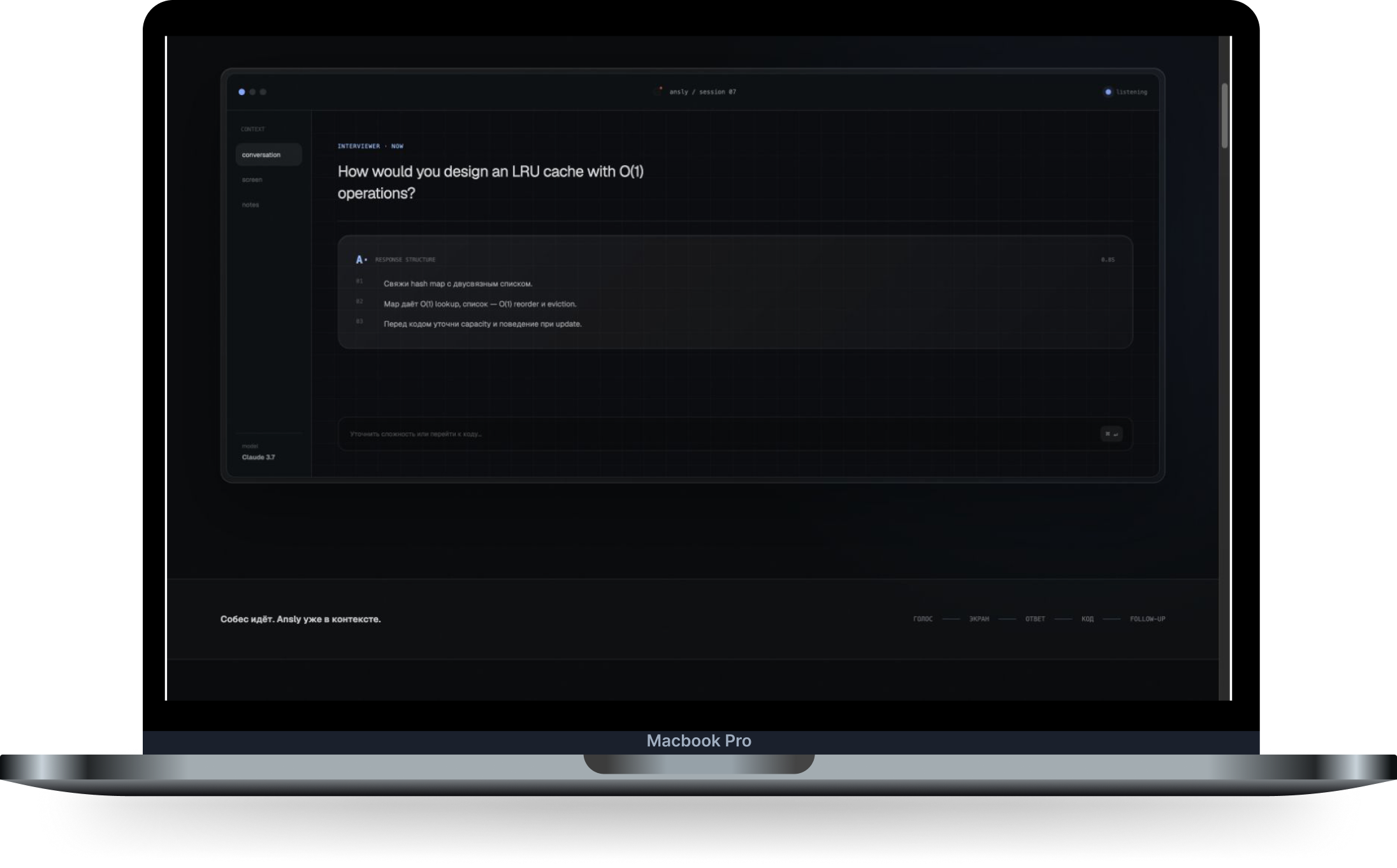
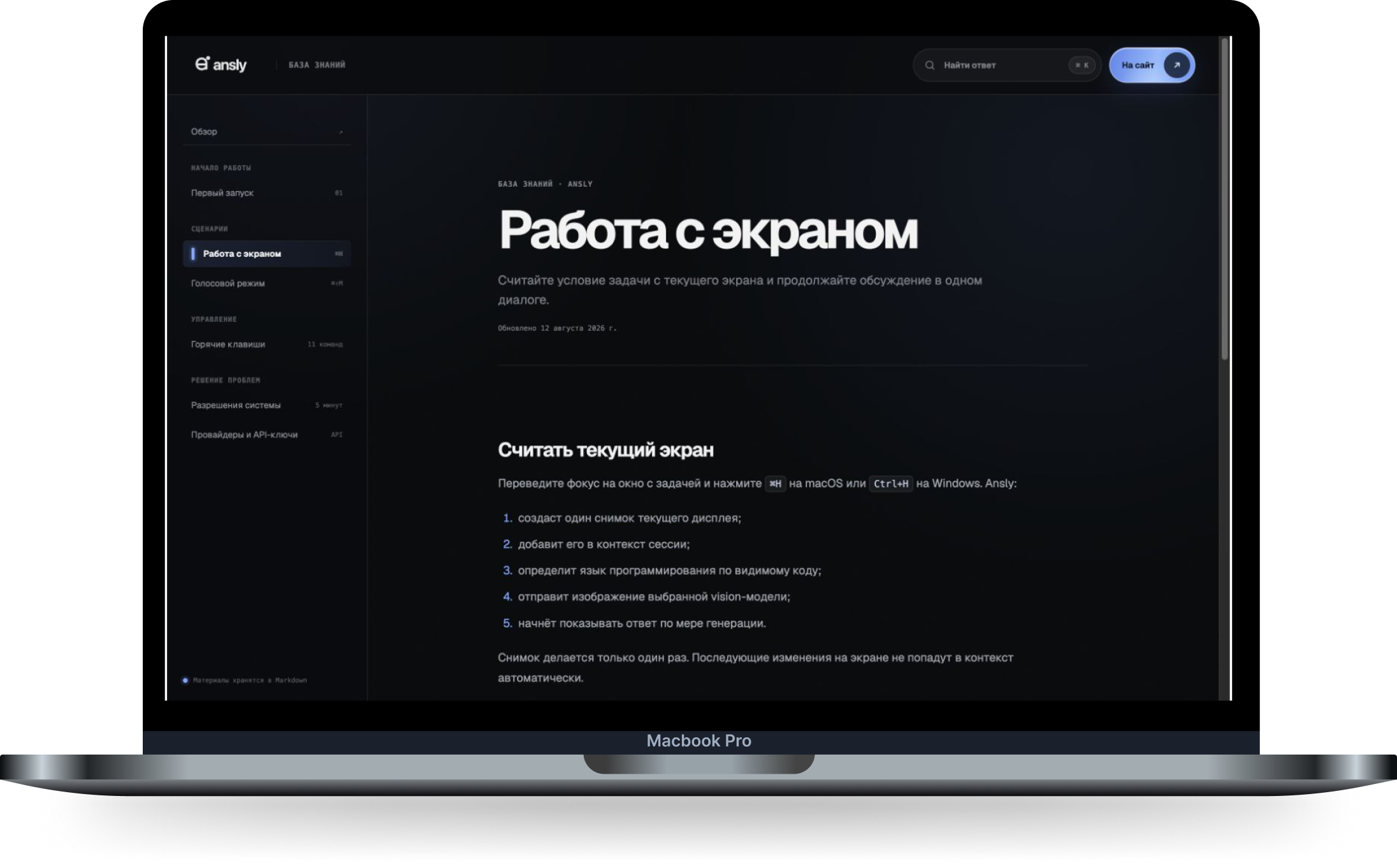
Ansly is a macOS and Windows app for working through technical questions and on-screen tasks. The user starts a screen capture or voice recording, and the assistant streams its response. Follow-up questions continue the current conversation without re-entering the task. The product includes AI provider selection, personal API keys and keyboard shortcuts. Its website brings together workflow demonstrations, downloads for each operating system, and a knowledge base covering setup and system permissions.
What we built
Fragmented context
The task is on screen, the question is spoken, and follow-ups refer to an earlier answer. Repeating all of that context to a model is cumbersome.
Switching between windows
Copying code and opening a separate chat interrupts the workflow. Core actions need to remain within reach of the current task.
AI provider setup
Getting started requires choosing a model, adding an API key and understanding connection errors.
System permissions
Screen and voice workflows depend on operating system permissions. Users need to know what to enable and when data is sent to the model.
Different computers
Apple Silicon Macs, Intel Macs and Windows PCs need different installers. Choosing the wrong build gets in the way of the first launch.
Finding help during a session
Instructions for screen capture, voice, shortcuts and settings should be easy to find without reading a lengthy general manual.


How the project was built
01
Context within one conversation
A screenshot or transcript becomes part of the current session. Follow-up questions reuse that context, while New Chat starts a new task.
02
Shortcuts and streamed responses
Keyboard shortcuts start screen capture and voice recording. Responses appear as they are generated in a compact workspace.
03
Model selection and personal API keys
Settings let users choose a provider and connect a personal API key. A dedicated knowledge base article explains connection setup.
04
Clear first-launch steps
The guide walks through installation, sign-in, provider configuration and the system permissions required for each feature.
05
Downloads for macOS and Windows
A dedicated page provides Apple Silicon, Intel and Windows builds alongside concise installation instructions.
06
A workflow-based knowledge base
Articles cover first launch, screen capture, voice, shortcuts and troubleshooting, with search and links between related guides.




Tools
- React
- TypeScript
- Tailwind CSS