LADOM

LADOM
A family assistant inside Telegram: a shared calendar, tasks, shopping lists and reminders that help loved ones plan their day together.
What the business needed?
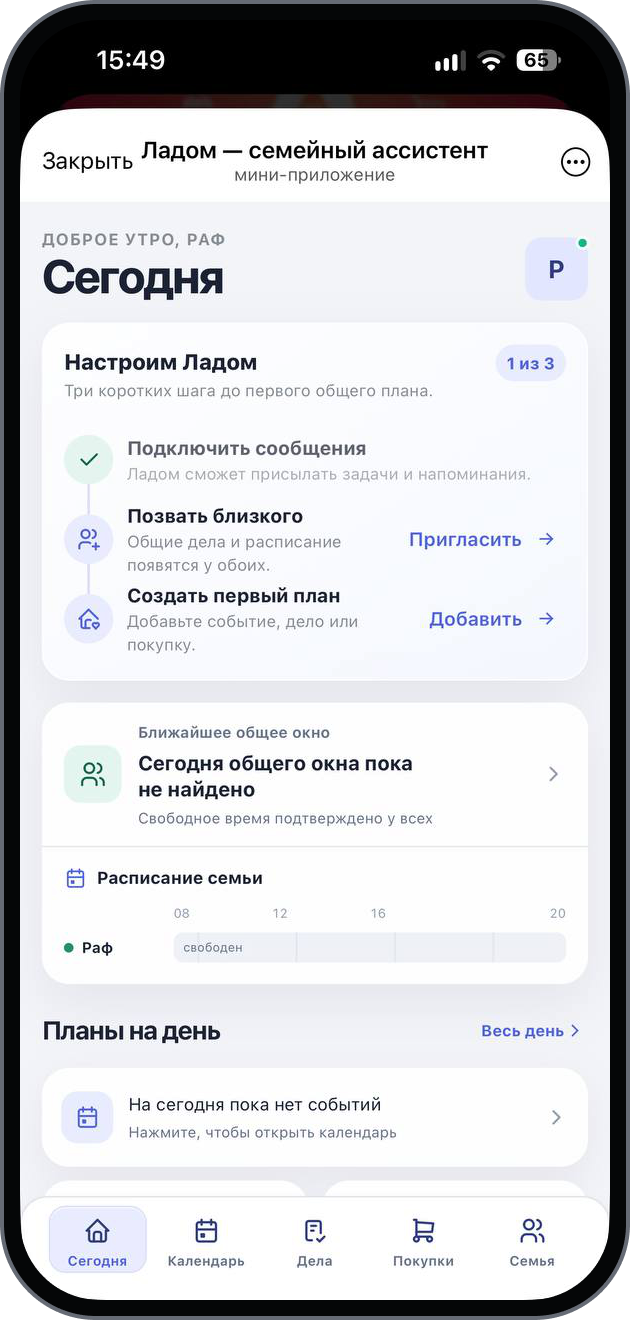
LADOM is a Telegram Mini App for everyday family planning. It opens from the bot, with a Today screen that brings together household availability, the next shared free time slot and the day's plans. Dedicated sections let family members manage events, assign tasks, keep a shopping list and invite loved ones. The bot delivers reminders in Telegram, while the Mini App provides the shared context and a direct path to each action. We connected these workflows in a mobile interface with persistent bottom navigation and step-by-step household setup.
What we built
Family plans are scattered across different tools
Events live in calendars, requests in chats and shopping lists in notes. Understanding the day's plans means switching between them.
Finding shared free time takes coordination
Each household member has a different schedule. Planning time together requires comparing availability and choosing a suitable time slot.
Requests need clear owners and deadlines
A chat message is easy to miss. A task needs a visible status, a date and someone responsible for it.
Shopping lists quickly become outdated
Families need a shared list with quantities, categories and a clear way to mark purchases as complete.
Setup should not delay the first useful action
Invitations, notifications and the first plan all need an explanation. A lengthy setup makes the product harder to get started with.
A separate app creates an extra step
Everyday coordination already happens in Telegram. A family tool should open in the same place and work comfortably on a phone.
How the project was built
01
Created a shared overview of the day
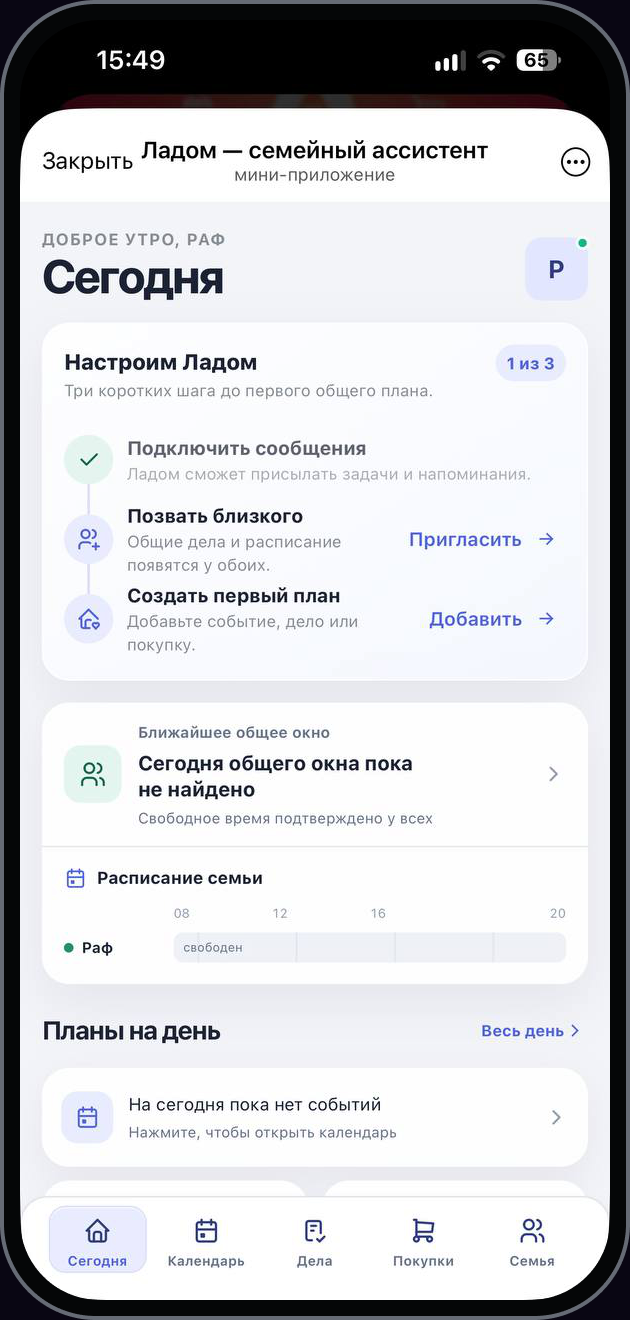
The Today screen brings together household schedules, the next shared free time slot and daily plans, providing a clear starting point.
02
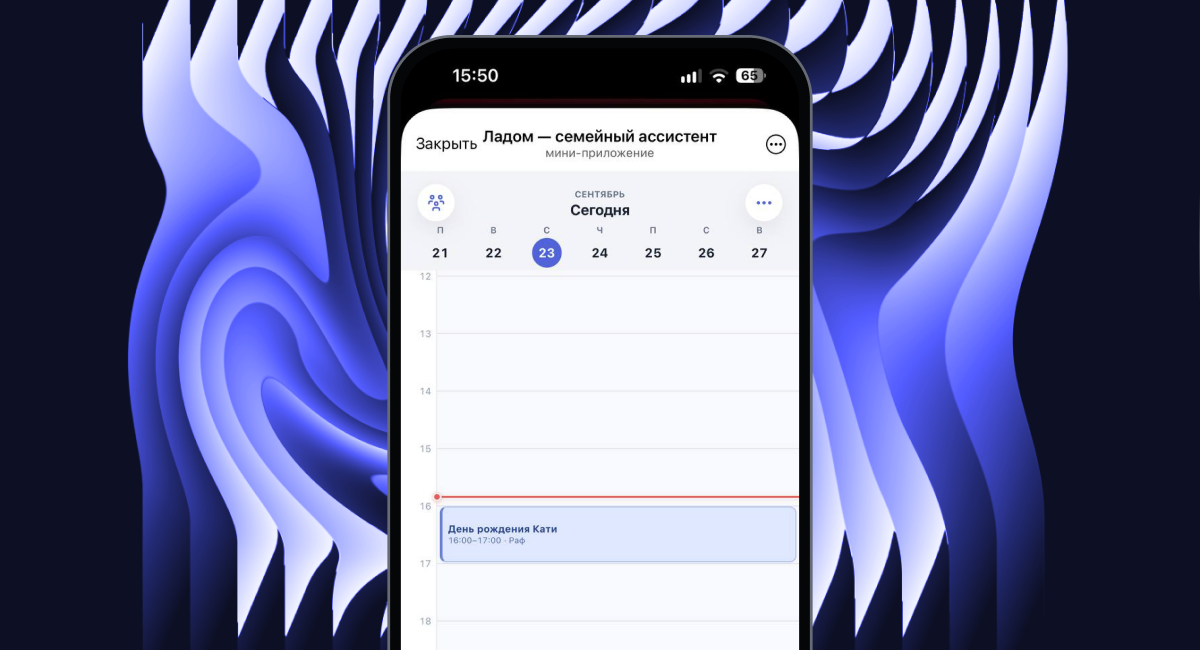
Connected events with shared availability
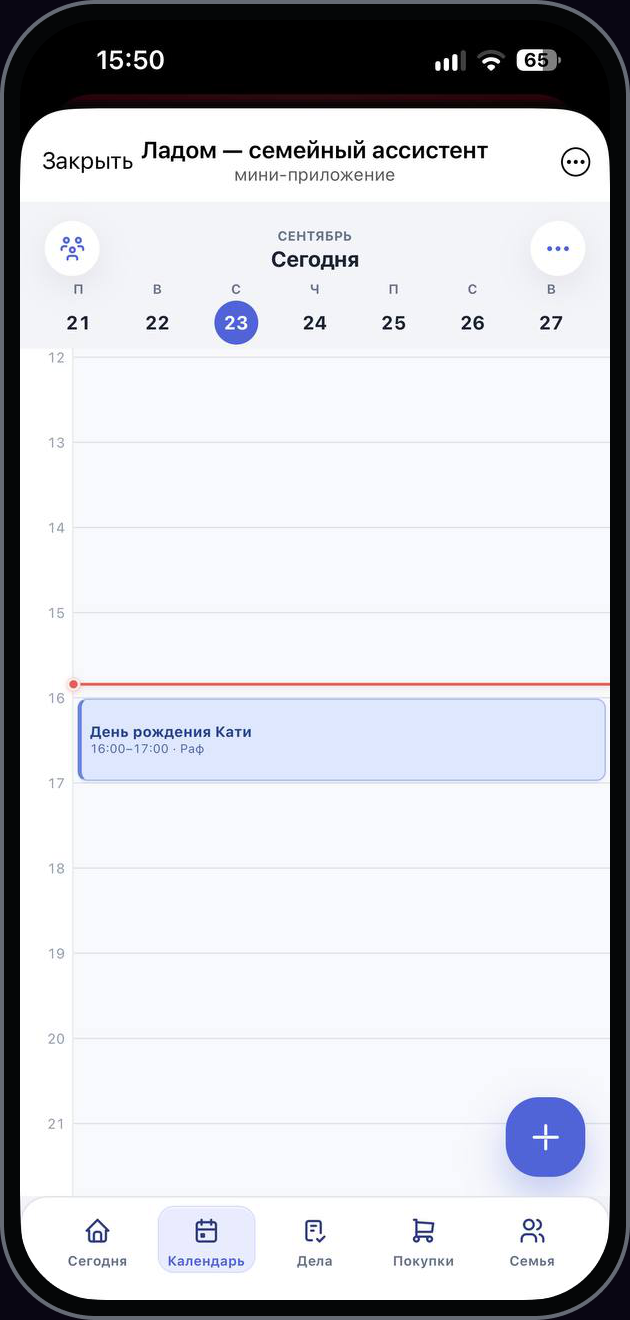
A timeline calendar displays events, while the availability overview helps the family find time for plans together.
03
Gave tasks their own workspace
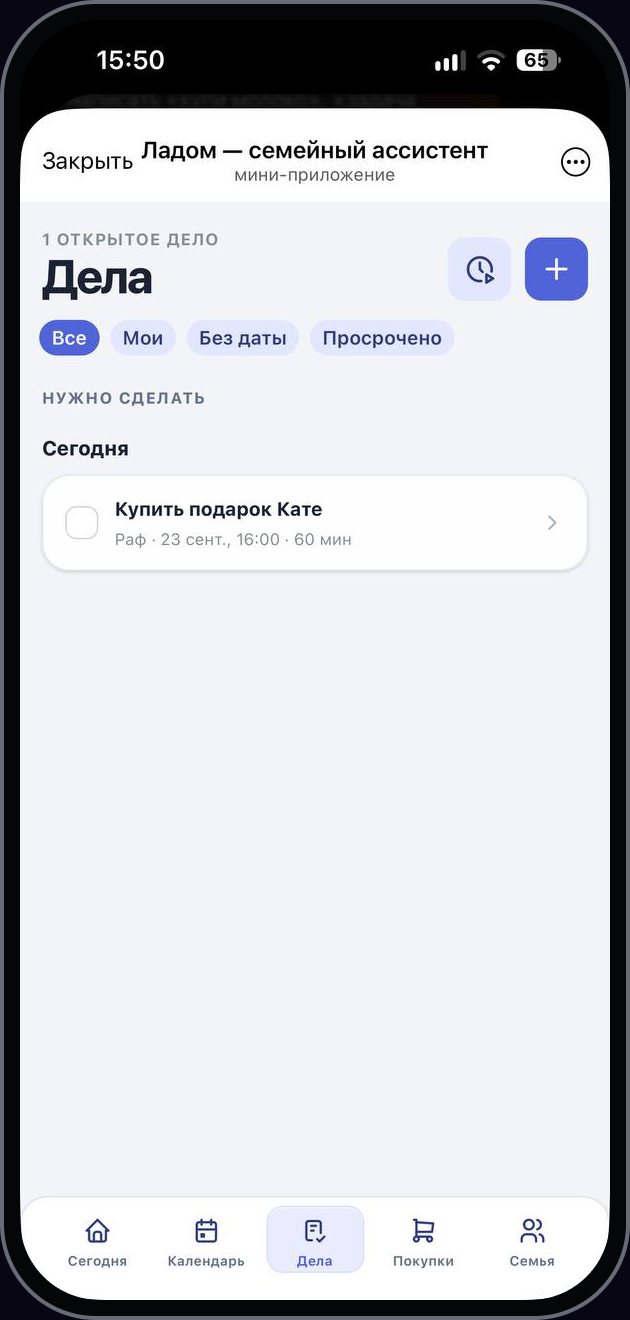
Tasks show an assignee and a due date. All, Mine, No date and Overdue filters make the relevant items easy to find.
04
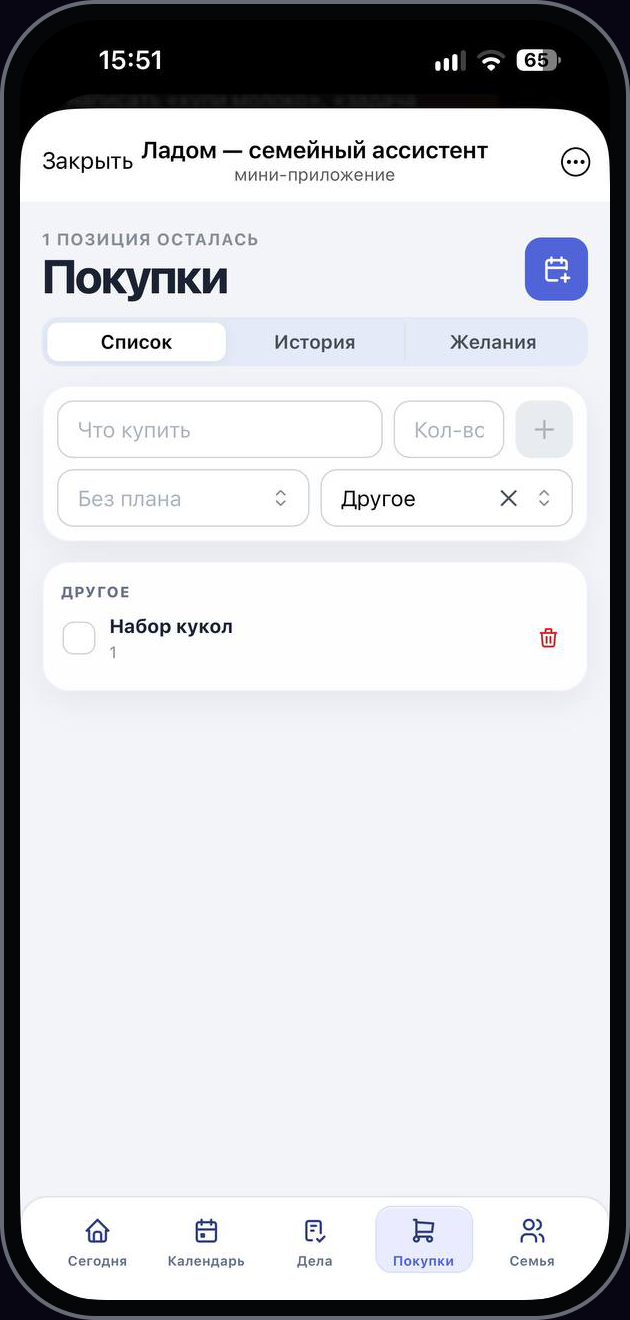
Built a shared shopping list
Members can add quantities and categories, mark purchases as complete, and browse shopping history and wish lists.
05
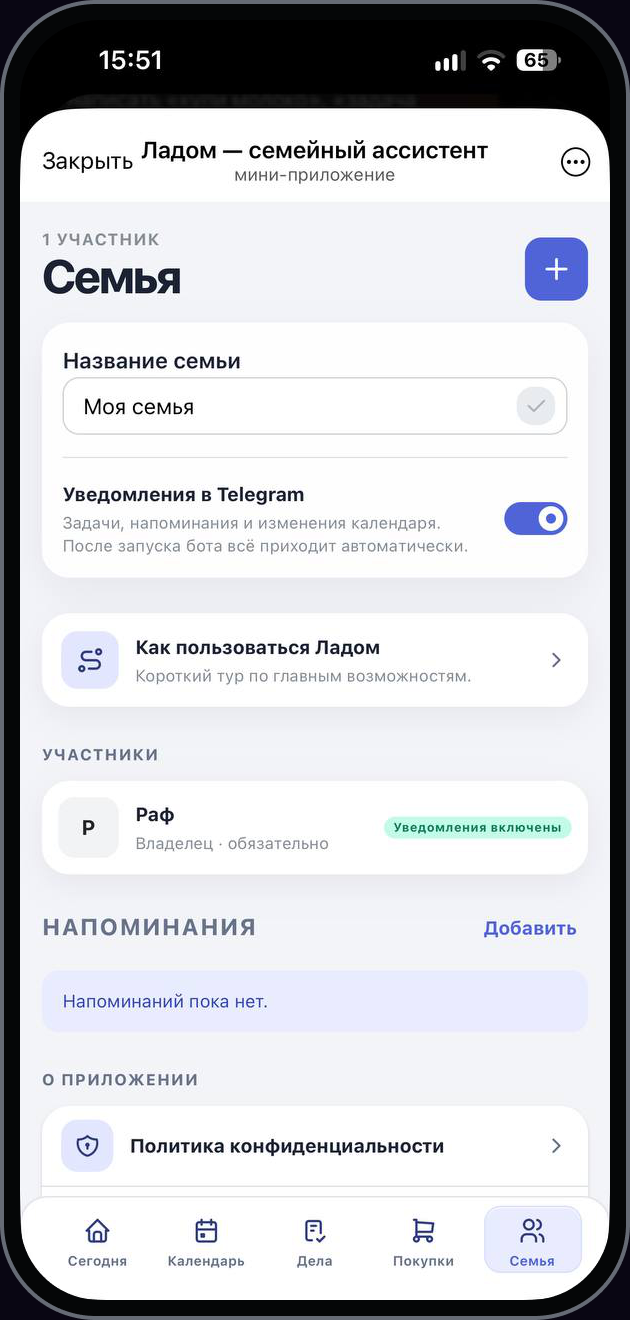
Made setup a three-step process
The home screen guides users to enable messages, invite a loved one and create a first plan. The Family section contains members and reminders.
06
Linked the Mini App to a Telegram bot
The bot opens the application and delivers reminders. Bottom navigation connects the five main sections into one mobile experience.


Tools
- React
- TypeScript
- Vite
- PostgreSQL
- Redis
- Telegraf
- TanStack Query